






Scan to BIM: Everything you need to know
Contents |
[edit] Introduction
Many of us have encountered the term “Scan to BIM” in the world of construction. Scan to BIM refers to a Building Information Model created from a 3D Scan. The process is not as complicated as it seems. Let’s look into it.
Laser scanning is a method used by the AEC industry to determine current conditions and plan future projects. This was originally done in the 1990s. Laser scanning is fast becoming a standard practice for Laser Scanning Companies, Surveyors, Property Owners, Architects, MEP Engineers, General Contractors, Construction Management Companies, and General Contractors, for their Renovation, Retrofit, Retrofit, or Construction Projects.
We’ll explain how the Scan to BIM Modelling processes works and its application in this technology-driven field.
[edit] What is Point Cloud / Scan to BIM?
Scan to BIM is essentially a process that creates a digital representation of the building’s existing conditions, along with its functional and physical characteristics. To capture a 3D scan, a laser scanner is used. The scan is then imported into a 3D BIM program (Autodesk Revit or Graph iSOFT ArchiCAD or Vector works). It can be used to create exact as-built models or to match real-world conditions to the design.
[edit] How Does Scan to BIM Process Work?
The whole Scan to BIM Process can be broken into four stages:
- Identification of information requirements
- Scan planning
- Scanning
- 3D modelling
We’ll be looking at the Scan to BIM process in greater detail.
[edit] Scan to BIM Workflow Framework
[edit] 1. Identification of Information Requirements
Before we can begin the process of scanning to BIM, you need to know all details about the desired model/drawings. It is crucial to identify the model’s level of detail. A higher modelling accuracy will increase the reliability and usability of the BIM. However, the more detailed your model is, the more expensive it will be. This means that data density must be balanced against cost. This stage identifies the following information.
- Required building elements
- Required Level of Detail (LOD)
- Required non-geometric attributes
[edit] 2. Scan Planning
Scan planning involves setting parameters before 3D scanning. It is vital because it is hard to find documentation for buildings. Optimisation of scanning parameters is a good idea. It also includes identifying all of the attributes required for scanning. Here are a few types of parameters:
- Accuracy
- Space Resolution
- Coverage
- Other attributes such as location, angle resolution, etc.
[edit] 3. Capturing Reality with Scanning
With the help of a 3D Laser scanner, you can scan to BIM. This scanner collects data at high speed and precision. The device is equipped with an eye-safe laser, which rotates at high-speed. It is typically placed on a tripod. When the laser beam hits any surface, it is recorded as coordinates, known as “points”. Each point is then mapped together, creating a highly precise digital picture. Once all the points have been gathered the scanner will colourise the data to create a 3D model of the site, known as point cloud scanning.
The 3D scanner can capture both the exterior as well as the interior structure. Revit software converts the scanned data into a 3D model.
The scanning process may also be performed in other ways such as
- 360-Degree Scans
- Times-of-Flight Scans — They measure the distance between vertical and horizontal angles for every position. This ensures that the scanner’s head is in every grid position for every scan.
- Phase-based Scans — It is the only difference that the scanner measures phase shifts of the returning laser energies to calculate distances.
[edit] 4. 3D Modelling — As-Built, Ready to Go for the New Building
The conversion of Point Cloud Scans into a 3D BIM Model with the as-built condition for the building is the final stage of the Scan To BIM process. This process can be broken into two components:
· The Point Cloud data can be decoded
This is where the point cloud scans are used to import the building systems into scanning software, such as Autodesk Recap. BIM modellers extract physical and functional information from each of the building systems. The point cloud scan has multiple viewing points that provide an overall view of the structure. This ensures the accuracy of the representation.
It allows you to illustrate the scan with the exact building conditions. You can use this information later on for any purpose, including remodelling, redesigning, or renovating any section of the building. The final stage of Scan to BIM will produce the desired As-built model. This includes all necessary building system details.
[edit] Varied Applications of Scan to BIM
Applying a Scan to BIM to capture actual as-built conditions to a building is the purpose. BIM can be used to serve knowledge repository, which coordinates the building facilities through their entire lifecycle. Let’s talk about how Scan to BIM can benefit different stages of construction projects.
[edit] 1. Design
During the design phase, the BIM model as-built of the construction site terrain and the surrounding structures and environment allows the designers better understand the site conditions and to make better design decisions.
[edit] 2. Construction
BIM often refers to all the construction-related activities that are taking place. It helps to distinguish between the BIM model that is currently being built and the one that was designed. The tolerance values are then used to compare the models. Different aspects are involved in the construction phase.
- Virtual Installation: A scan to BIM can make virtual installations and assemblies possible by using exact as-built BIM model constructions. You can use scan-to BIM to simulate the assembly and installation process in a virtual setting. This will allow you to spot any potential problems before the actual installation.
- Security Management: Scan To BIM Model has the potential for improving construction safety management. The model identifies all hazards and suggests ways to improve safety.
- Digital Reproduction: With scan to BIM, thousands of drawings can be replaced by a 3D model. It allows you to view and modify the design.
- HTMLQA / QC: All prefabricated parts that are used for quality assurance/quality control are covered by the BIM model.
[edit] 3. Facility Management (FM)
- Documentation: Scan to BIM is a tool that allows for the creation of documentation. Scan-to-BIM is most useful in this phase for the documentation of complex geometry and textures.
- Building Performance Analysis: Includes functions such as performance analysis, accessibility diagnosis, and structural analysis. Building performance analysis can be used to analyse and improve the building’s energy consumption, accessibility, as well as structural reliability.
- Many FM Functions can be improved by superior 3D visualisation, rich and organised BIM information and superior 3D visualisation.
[edit] Benefits from Scan to BIM: Why You Should Invest in It?
Some of the main benefits of Scan to BIM are:
- Quality An image derived using Scan to BIM can be more reliable than a design drawn from the scan.
- Saves Time: It reduces visits to the sites. It allows contractors to spend more time with them, which increases their ability to plan and evaluate project risks.
- Minimum Errors These errors allow for quicker decision-making and project modifications.
- Sustainability: The use of BIM for all building processes leads to greater sustainability.
- Saves Money: A 3D model is definitely expensive, but it can save you significant money compared to traditional surveys.
- Common Data Environment Scanning to BIM facilitates transparency. It also fosters better communication and collaboration.
[edit] Conclusion
Scan to BIM technology is widely used to capture and digitally create representations of sites and spaces using 3D laser scanning. The Scan to BIM process has four phases. The first is where all the requirements are identified. Then, constructive planning and scanning take place. After the scan is acquired, it can be processed into a model. After the scan is complete, it can be converted to a 3D model. Because it reduces the time and cost of a project, scan to BIM can be used by everyone in the construction sector. It can be used to view real-time changes and visualise the site. This results in greater efficiency. For more information visit author profile.
[edit] Related articles on Designing Buildings
- Asset information requirements AIR.
- Building information modelling BIM
- BIM dimensions.
- BIM resources.
- Building drawing software.
- Building information modelling.
- BIM and the historic environment.
- Construction Operations Building Information Exchange (COBie).
- Common data environment.
- Construction site investigation methods.
- Digital technology in the historic environment.
- Data drops..
- Digital information.
- Heritage asset.
- Historic England.
- Industry Foundation Classes.
- Laser scanning for building design and construction.
- Lidar.
- Point cloud.
- Point Cloud modeling considerations for M&E in refurbishment projects.
- Scan to BIM
- Scan to BIM: Enhancing Building Information Modeling with 3D Laser Scanning
- Survey.
- Uniclass.
- What does BIM have in store for the construction industry?
- 6 Uses of 3D Laser Scanning in Construction Project.
Featured articles
Check out some of the best features and news from Designing Buildings as well as key stories from around the web.

Your views needed - a strategy for the professions, trades and occupations.
Confronting competency, codes, capacity and costs.
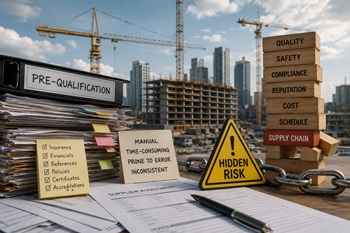
The hidden risk in modern construction supply chains.
Construction Management, 10 June

24 months to 14: CITB launches accelerated apprenticeships.
Bridging the gap between clients and contractors
Concerns remain around contractor quality, capability, and delivery.
Construction Management, 10 June.
Heat pumps beat boilers in new home tests.
Building Safety Act implementation in Wales
CIAT to host industry panel on 26 June.
New and updated CLC building safety guidance.
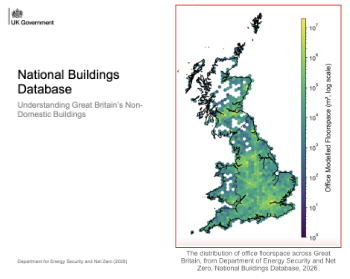
New UK National Buildings Database.
Building Safety Wiki Interviews

Chief executive of the British Woodworking Federation.
Planning condition discharge in England and Wales

A brief explanation from a building compliance expert, with further links.